

If you’re like most working professionals, your phone and computer are both indispensable tools and constant distractions. Feeling tethered to your devices isn’t just annoying — it can affect your sleep, focus, and mental health. But here’s the good news: a digital detox doesn’t mean going off the grid. You don’t need to delete every app or retreat to a cabin in the woods for a week.
Instead, the key is setting intentional boundaries around your technology use so you’re in control — not the other way around. This article will guide you through practical, realistic strategies to reduce your screen time and phone addiction without quitting your job or going cold turkey.
You Don’t Need a Digital Detox Retreat, You Need Boundaries
The common image of a digital detox is a total tech blackout — no phone, no laptop, no internet for days or weeks. But for most of us, especially those whose jobs require constant connectivity, this isn’t feasible or necessary.
Here’s the test: pick up your phone right now and check your Screen Time or Digital Wellbeing stats. If the number shocks you, that’s your answer. Most people guess they use their phone 2–3 hours a day. The actual average is closer to 4–5 hours of pickups and 7+ hours of total screen time daily, excluding work.
The problem isn’t technology itself — it’s the absence of intentional boundaries around its use. The goal is not “zero screens” but deliberate screens vs. mindless screens. You don’t have to quit altogether; you just need to decide when and how you use your devices so they serve you, not the other way around.
What Excessive Screen Time Actually Does to Your Brain
Understanding why excessive screen time is draining starts with the brain’s reward system. Social media, notifications, and messages trigger a dopamine loop — the same brain pathway that keeps people hooked on slot machines. This variable ratio reinforcement (random rewards) hooks us into checking our phones compulsively.
But it’s not just about addiction. Research from UC Irvine shows that after every digital interruption, it takes an average of 23 minutes and 15 seconds to refocus on your original task. This attention fragmentation drastically reduces productivity and increases mental fatigue.
Sleep is another casualty. Blue light from screens suppresses melatonin, the hormone regulating sleep cycles, but the bigger issue is psychological arousal from emotionally charged or stimulating content right before bed.
Multiple studies reveal a strong correlation between social media use and anxiety or depression symptoms, though causation is complex. The narrative that “phones cause depression” oversimplifies the data, but the link between heavy passive social media use and poorer mental health is clear.
The Practical Digital Detox Framework (for People with Jobs)
Not all digital detoxes require extreme measures. Here’s a tiered approach tailored for working professionals who need their devices but want healthier habits.
Level 1 (Low Friction)
- Turn off non-essential notifications (email, social apps, games).
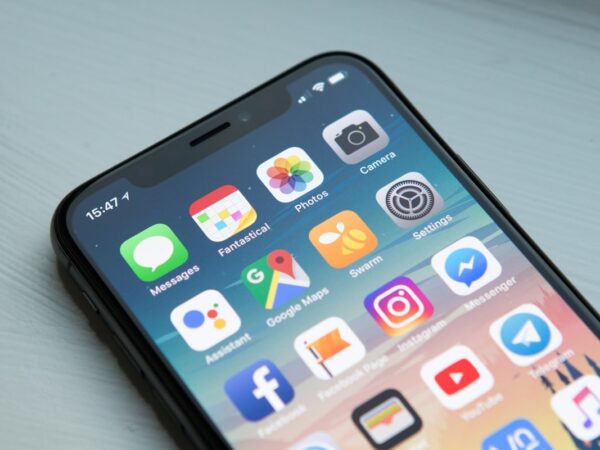
- Move social media apps off your home screen.
- Enable grayscale mode on your phone to make it less appealing.
Experience tip: Grayscale mode makes your phone dramatically less rewarding visually. The tradeoff is photos and videos look terrible — mildly annoying, but that mild annoyance is the mechanism. If your phone is less rewarding, you’ll look at it less.
Level 2 (Moderate Commitment)
- No phone for the first and last hour of your day.
- Designate phone-free meals.
- Use app timers to limit social media to 30 minutes per day.
Level 3 (High Commitment)
- Schedule weekly screen-free half-days.
- Delete social media apps, use browser versions only.
- Use a physical alarm clock instead of your phone.
Start at Level 1 for a week, then move up as comfortable. The key is to remove the trigger rather than relying on willpower alone.
Phone-Free Mornings and Evenings: the Highest-ROI Change
If you want to start with one habit that makes the biggest difference, this is it.
The first 30–60 minutes after waking shape your mental state for the whole day. Checking email or social media immediately primes your brain for reactive, stressed mode instead of calm focus.
Similarly, the last hour before bed directly affects sleep quality. Scrolling through your feed can spike anxiety and delay relaxation.
Try this swap:
- Morning: Leave your phone in another room until after coffee, breakfast, or journaling.
- Evening: Charge your phone outside the bedroom starting 60 minutes before sleep.
Worried about losing your alarm? Buy a $10 physical alarm clock. This small investment pays off in better sleep and less stress.
If you think you can’t go phone-free for the first hour of the day, try it for one morning. Just one. Notice how different you feel. That gap between ‘I can’t do this’ and ‘oh, that was actually fine’ is the entire point.
For more on mornings and evenings, see our Evening Routine and Journaling articles.
How to Handle FOMO and the Social Pressure to Be Online
Fear of missing out (FOMO) is a real psychological response to being offline. Research by Przybylski et al. (2013) confirms this anxiety is common.
Try these three reframes:
- What you’re missing online is mostly noise, not signal.
- The people who matter will reach you regardless of your screen time.
- FOMO from being offline is temporary; the regret from wasted hours scrolling is cumulative.
Practical tip: tell close friends or family you’re reducing screen time and set specific check-in times (e.g., “I check messages at noon and 6 PM”). This removes the anxiety of being unreachable without actually being unreachable.
Tools and Settings That Actually Help
Use technology to fight technology by automating your boundaries.
iOS
- Screen Time: Monitor and limit app usage.
- Focus modes: Customize notifications and app access by time or activity.
- Downtime: Schedule phone-free periods.
Android
- Digital Wellbeing: Track and set app timers.
- Focus mode: Pause distracting apps.
Third-Party Apps
- Freedom: Blocks distracting sites across devices (~$3.33/month).
- One Sec: Adds a pause before opening addictive apps (free).
Physical Tools
- Kitchen Safe or time-lock container: Store your phone during deep work sessions.
Browser Extensions
- News Feed Eradicator: Removes social feeds from Facebook.
- uBlock Origin: Blocks ads and trackers.
Automating these restrictions reduces reliance on willpower and builds better habits effortlessly.
FAQs About Digital Detox
How long should a digital detox be?
There’s no magic duration. Even a single phone-free evening produces measurable benefits like reduced stress and improved sleep. A weekend detox can reset your relationship with devices, but the most sustainable approach is daily boundaries such as phone-free mornings and evenings.
Will I fall behind at work if I limit screen time?
The opposite is more likely. Constant notifications and multitasking reduce cognitive performance by up to 40%. Most people who set boundaries find they get more done in less time because their focus improves.
What about kids and screen time?
This article focuses on adult digital habits, but principles transfer: environment design (keep devices out of bedrooms), clear time boundaries, and leading by example. The American Academy of Pediatrics recommends no more than 1–2 hours of recreational screen time for children.
Is social media really that bad?
It depends on usage patterns. Passive scrolling (consuming without interacting) is consistently linked to worse outcomes. Active use (messaging friends, creating content) is less harmful and sometimes positive. The problem for most people is that 80%+ of their social media time is passive consumption.
A digital detox doesn’t mean quitting your devices. It means reclaiming your attention with realistic boundaries and practical tools. Start small, build momentum, and watch your focus, sleep, and mental health improve — without going off the grid.
For deeper dives, check out our articles on Focus, Phone Usage, and Reading Habits as healthy screen alternatives.
Related categories: Blue Light, Sleep Hygiene, Bedtime Routine, Sleep Apps